
All case studies

Laboratory management

A cloud lab system running across a real collection network

One cloud system that takes a laboratory test from the billing counter at a collecting center to the validated, printed report, with the whole network visible from a single dashboard.

  • Cloud
  • Laboratory management
  • Billing
  • Reporting
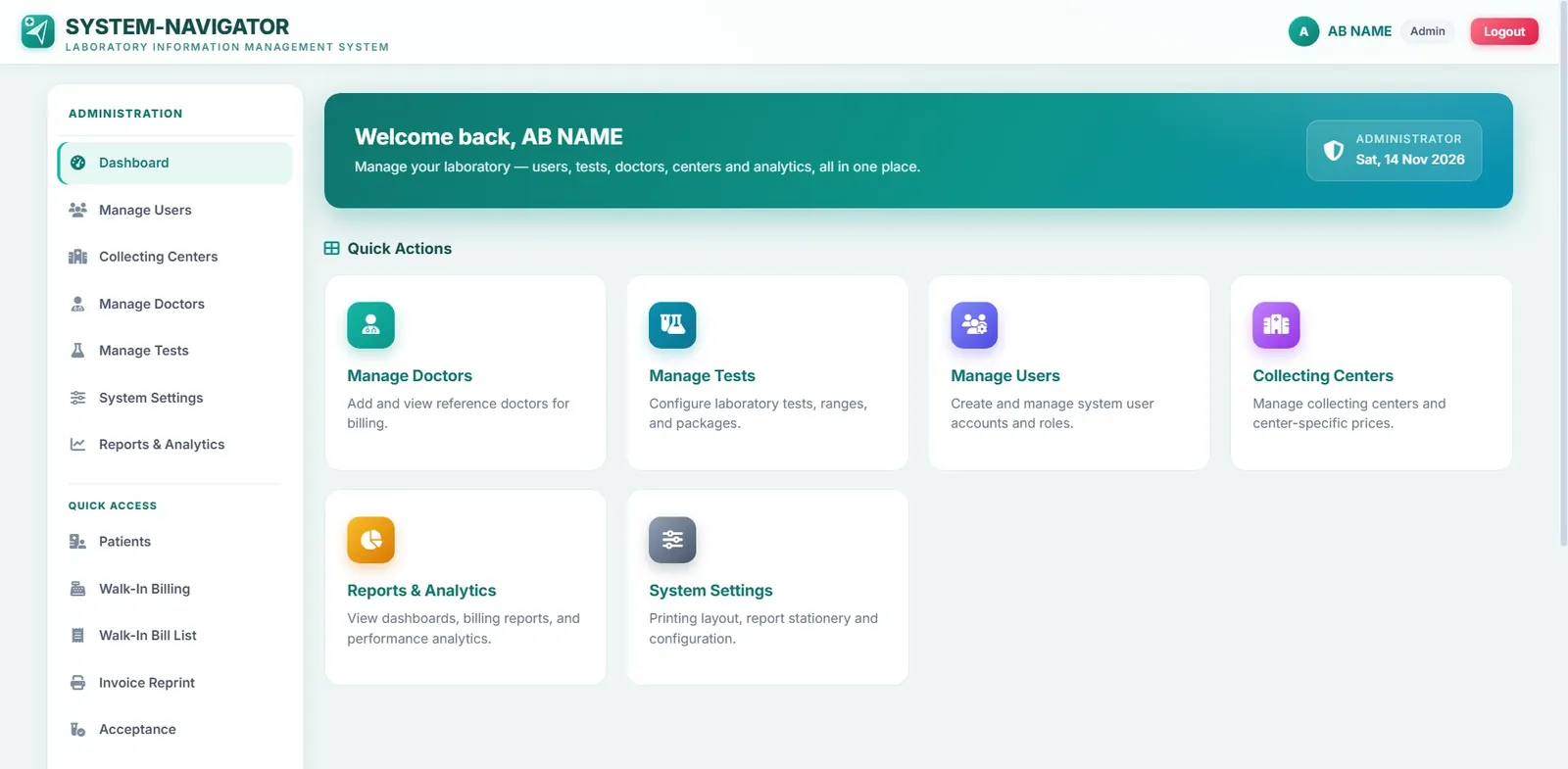
System-Navigator LIMS dashboard in the light theme
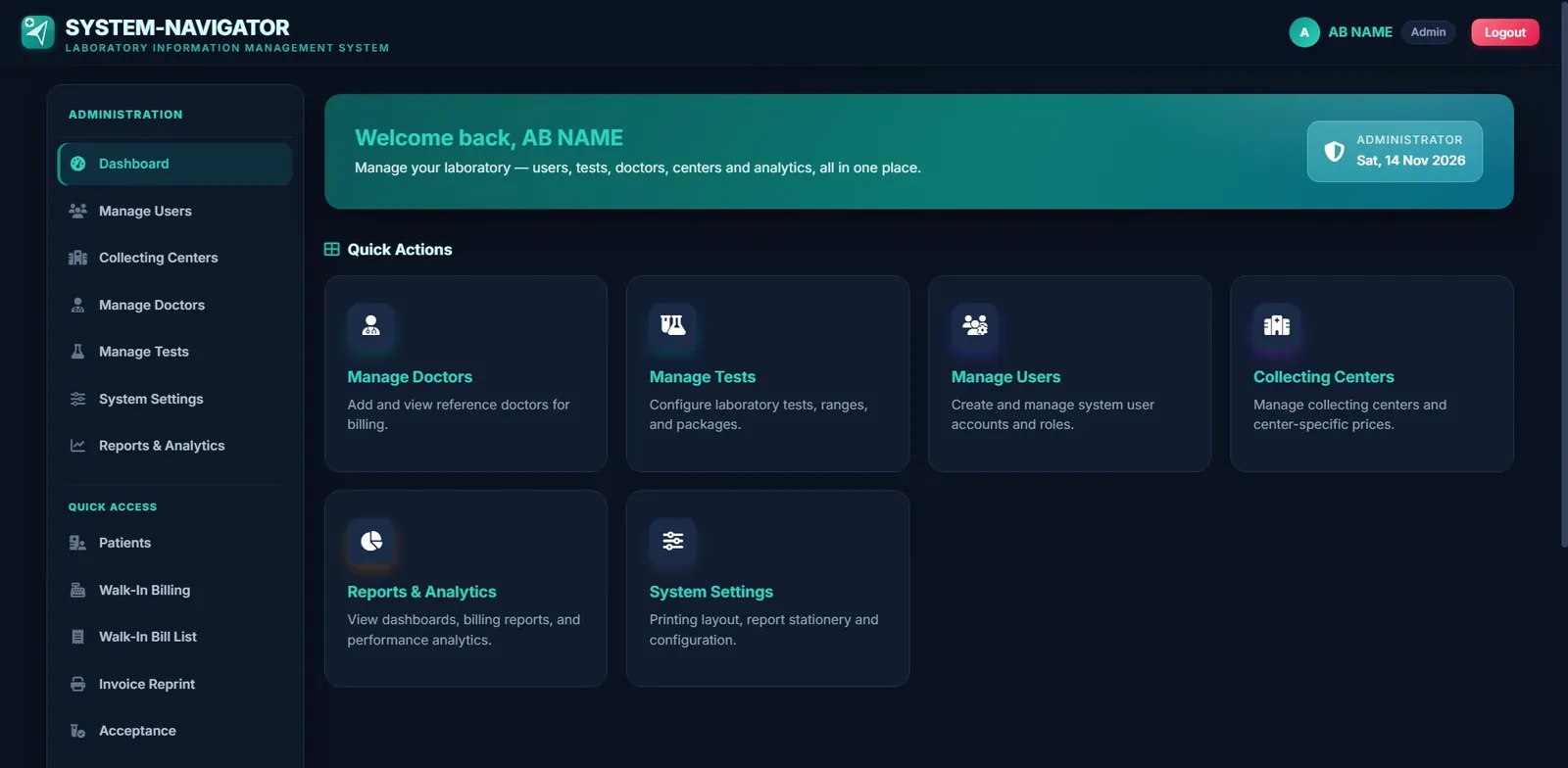
System-Navigator LIMS dashboard in the dark theme
16Connected modules
4User roles
6Accent themes
2Light and dark modes

Overview

What we built.

System-Navigator LIMS is the laboratory management edition of System Navigator, our cloud business platform. It gives a main laboratory and its collecting centers one shared system for the whole journey of a test: registering the patient, billing at the counter, accepting the sample, entering and validating results, and printing the final report.

Because the system lives in the cloud, every center works from the same patient records, test lists and price lists, while the administrator keeps a live view of how the whole network is performing.

The challenge

Many centers, one patient journey.

A laboratory with several collecting centers has a lot moving at once. Each center bills its own walk-in patients, samples travel to the main laboratory, results pass through a technician and a validation step, and every report has to reach the right patient on the right stationery.

Prices can differ from center to center, staff need access to exactly the right screens, and the people running the laboratory still need one clear picture of revenue and workload. We set out to bring all of it into a single dependable system that cashiers and technicians could learn quickly and use all day.

How it works

From the counter to the final report.

The daily screens follow the real order of work, so each person lands on the next step without hunting for it.

01

Register and bill at the counter

Cashiers register a patient, choose tests or packages, apply the center's discount scheme and print the receipt in a single flow. The billing summary updates as items are added, so totals, payments and balance are always clear.

  • Auto-generated patient token
  • Age captured in years, months and days
  • Test and package search with a referring doctor
  • Urgent sample flag and cashier remarks
  • Save and print in one step
02

Accept every sample as it arrives

At the main laboratory, staff scan a barcode or type a bill number to find the order, filter by collecting center and accept the sample. Anything still waiting is clearly marked as pending.

  • Barcode or bill number lookup
  • Filter by collecting center
  • Pending status at a glance
  • One-click sample acceptance
03

Enter results with the patient in view

Technicians load a bill, fill in each test element, add comments and submit the work for validation. Patient and billing details sit beside the entry form, so nothing has to be looked up somewhere else.

  • Search test elements by name
  • Save progress and add comments
  • Submit for validation when ready
  • Patient and billing details alongside
04

Validate before anything is released

A final validation screen lists pending results by billing date and collecting center, so a reviewer can open, edit and approve each one before a report goes out. Intermediate reports can be printed when a partial result is needed.

  • Pending results by date and center
  • View and edit before validating
  • Intermediate report printing
05

Print the report, reprint the bill

Final reports are found by bill number or patient name, with status, bill balance and test status shown before printing. Invoices can be reprinted from the billing date whenever a patient asks.

  • Search by bill number or patient name
  • Status, balance and test status in one row
  • Invoice reprint by billing date
06

See the whole network at once

The analytics dashboard brings the numbers together: today's revenue, bills, patients and cancellations, revenue over the last seven days and by collecting center, the most requested tests of the month and how each cashier is performing.

  • Revenue for the last seven days
  • Revenue split by collecting center
  • Top tests this month
  • Cashier performance by revenue and bill count

Administration

Set up the way the laboratory runs.

Administrators control the details that make each laboratory different, without needing a developer.

Tests, packages and center prices

Individual test prices and health-check packages are maintained in one place, with collecting centers, reference doctors and user accounts managed alongside them.

Receipts and reports that fit

Receipt paper width, the message printed on every invoice and the report margins can be adjusted, so printed output lines up with the laboratory's own thermal paper and pre-printed stationery.

Look and feel

Comfortable for a full working day.

Staff can choose from six accent colors and switch between light and dark modes. The change applies instantly across the system and is remembered on that device.

Teal
Emerald
Ocean Blue
Purple
Rose
Sunset
Dark mode

The result

What it gives the laboratory.

01

One system, every location

Collecting centers and the main laboratory share the same patient records, tests and prices.

02

Fewer hand-offs

Billing, samples, results, validation and reports move through connected screens instead of separate tools.

03

The right access for each role

Accounts for administrators, cashiers, lab technicians and doctors, each tied to the centers they work in.

04

A clear view of performance

Revenue, workload and cashier activity are visible to the administrator without building reports by hand.

05

Print-ready output

Receipts and reports are tuned to the laboratory's own paper, margins and stationery.

06

Pleasant to use all day

Light and dark modes and six accent themes keep long shifts comfortable.

Want software built around your business?

Tell us how your team works today and we will talk through what could work better.