
All case studies

Retail point of sale

A practical point of sale for billing, stock and business reports.

From scanning products at the counter to checking stock and reviewing sales, POS SL gives a retail team the everyday tools they need in one desktop workspace.

  • Retail POS
  • Billing
  • Inventory
  • Sales reporting
POS SL system dashboard

Overview

What we built.

POS SL is a point-of-sale system designed around the day-to-day work of a retail shop. Staff can bill customers, manage products and stock, record incoming goods, and review reports from a single application.

The interface keeps checkout and stock tasks close at hand while giving administrators access to billing history, user management, settings and business summaries.

The challenge

Keep checkout and shop operations connected.

Retail teams need to serve customers quickly while keeping product quantities and prices up to date. Receiving goods, maintaining stock, handling user access and understanding sales can otherwise become separate jobs across separate tools.

POS SL brings those everyday tasks together with a billing screen for checkout, stock controls, a goods received workflow and reports for reviewing shop activity.

How it works

From receiving stock to reviewing sales.

The main screens cover the routine flow of a retail shop, from maintaining products through checkout and reporting.

01

Review the shop dashboard

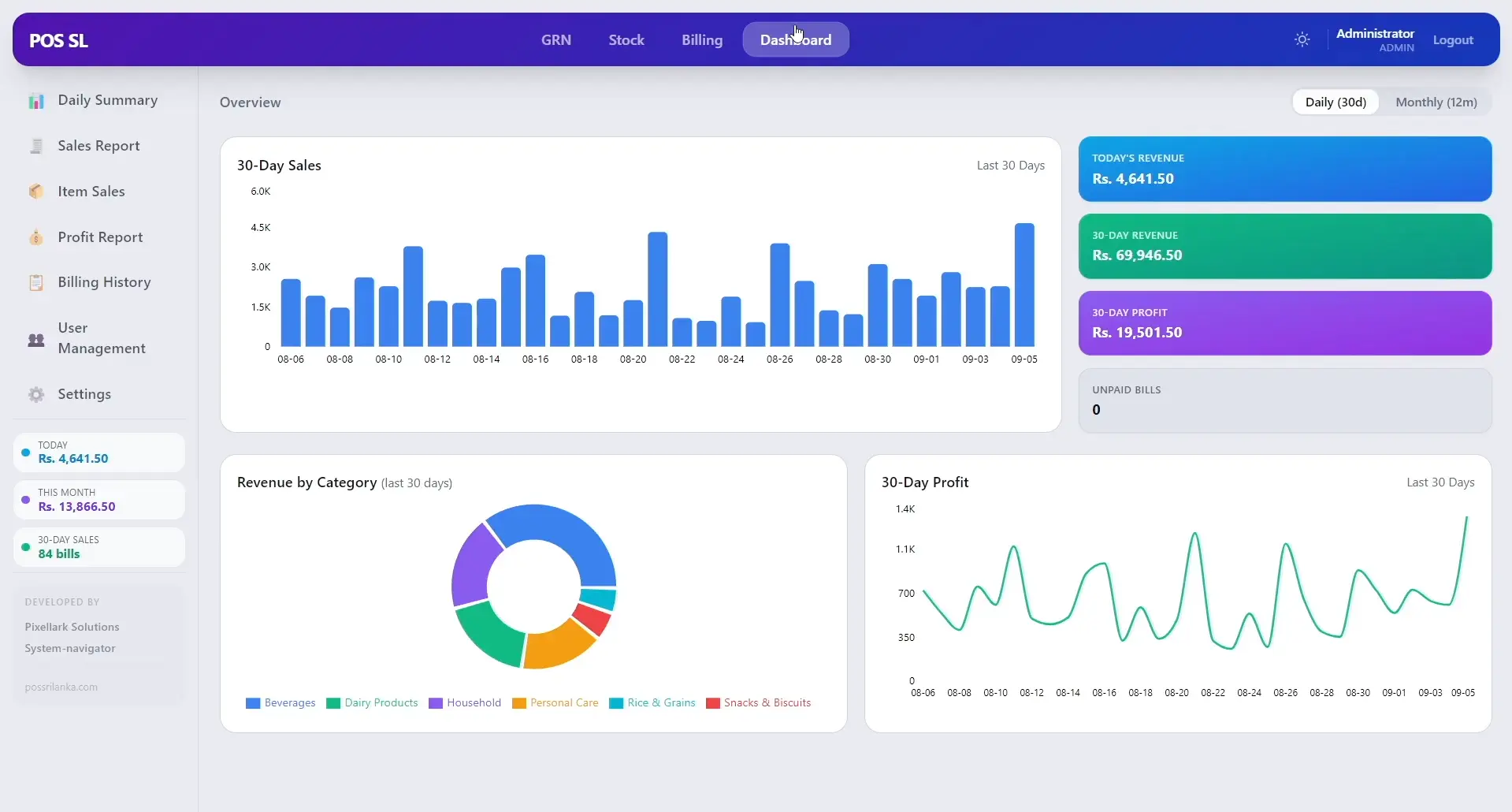
The dashboard summarizes sales and profit activity, revenue by category and unpaid bills, with links to daily summary and detailed reports.

  • Daily and monthly views
  • Revenue and profit summaries
  • Revenue by category
  • Shortcuts to sales reports
02

Bill customers at the counter

The billing screen organizes product categories, a searchable product grid and the customer cart with quantity and checkout controls.

  • Browse by product category
  • Search and select products
  • Review cart and subtotal
  • Complete checkout from the billing screen
03

Maintain products and stock

The stock workspace lists products with barcode, category, cost, wholesale and selling prices, quantity and expiry information.

  • Search products by name or barcode
  • Review prices and quantities
  • Manage categories, brands and suppliers
  • Update stock from the product list
04

Record incoming goods

The goods received note screen records supplier and invoice details, line items and payments before the delivery is saved.

  • Select or add a supplier
  • Enter bill and due dates
  • Add products to the delivery
  • Record payments and balance
05

Review bills and business reports

Daily summaries, sales and profit reports, item sales and billing history help staff and managers review activity over a selected period.

  • Filter reports by date
  • Review sales and profit totals
  • Search billing history
  • Export or print report views

Administration

Tools for managing access and shop settings.

Administration screens support user accounts, shop information, receipt output and visual preferences.

Manage staff access

User management shows account names, usernames, roles and status, with controls for adding, editing or disabling accounts.

Configure shop and receipt details

Settings include shop information, receipt logo sizing, invoice header text and appearance options.

Look and feel

Choose a look for the workspace.

The application includes light and dark appearances and additional color themes for the shop workspace.

Light
Dark
Colorful
Vibrant

The result

Everyday retail work in one application.

01

Checkout at the counter

A dedicated billing workspace brings products, categories and the cart together.

02

Stock visibility

Product records include barcodes, pricing, quantity and expiry fields.

03

Goods receiving

Supplier deliveries, line items and payments can be recorded through a GRN workflow.

04

Reports for follow-up

Daily summaries, sales, profit, item sales and billing history are available for review.

Want software built around your business?

Tell us how your team works today and we will talk through what could work better.